
There are days when you open Gmail, look at the icon, wrinkle your nose and think: “this wasn’t like this before, was it?”
Well, no. It wasn’t.
Google has begun rolling out a major redesign of the Google Workspace icons : Gmail, Drive, Calendar, Docs, Sheets, Slides, Meet, Chat and company. The change clearly focuses on gradients, smoother shapes and an aesthetic more aligned with this new visual era of Google marked by Gemini and artificial intelligence. Several media outlets have reported it as a broad change within the Workspace ecosystem, with icons more differentiated between applications and less dependent on the old rule of “let’s put the four Google colors everywhere and down”.
So far, everything is correct.
A brand evolves, an interface changes, visual systems are revised and Google, with the number of products, platforms and screens on which it lives, has every right in the world to rethink its graphic language.
However, there is something curious that has caught our attention when we see some of these new icons in real contexts of use. In some cases a strange visual sensation appears : darker edges, less sharpness or a kind of finish that makes the icon appear different from what we are used to seeing.
And we found this interesting, not so much to judge the redesign, but because it opens up a very specific conversation about how we perceive digital interfaces and to what extent small visual details can greatly change the final feel of a product.
The gradient is not the problem, or maybe not only
Gradients are not inherently bad. In fact, when used well, they can add depth, movement, and a more vivid feel to a visual identity. Google’s new “G” logo already went in this direction, with a smoother transition between the brand’s historic colors, in a line that many have linked to the Gemini aesthetic and the company’s new AI stage .
Therefore, the question is not so much whether the gradient works or not, but what happens when this type of visual resource reaches a small icon and has to coexist with very different contexts: a browser tab, a dock, a menu, a mobile phone full of notifications or a sidebar that you glance at while looking for “that document that was surely in Drive”.
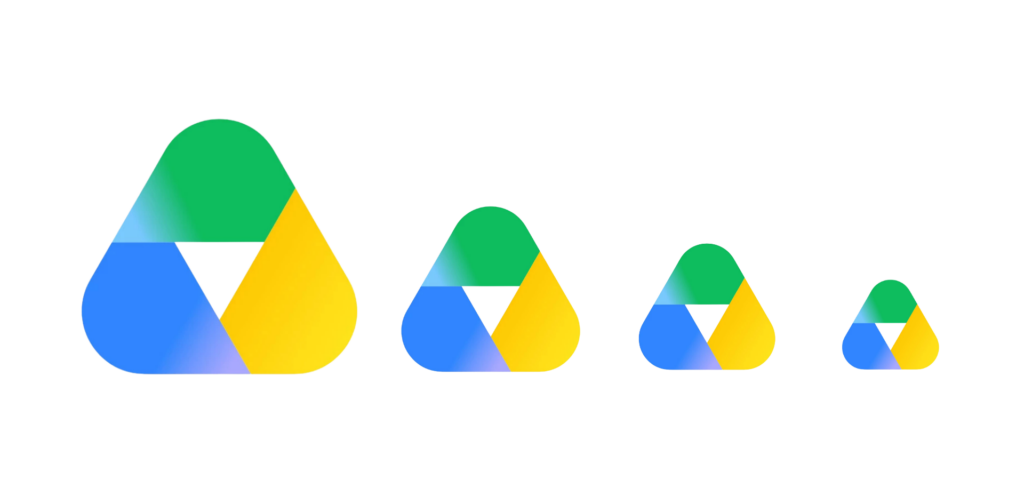
Because an icon is not a poster. It is not a piece of branding designed just to look big in a keynote. An icon lives at 16, 24, 32 or 48 pixels and, at these sizes, any visual detail is much more noticeable.

When invisible design becomes too visible
There is a concept that we really like: invisible design .
Not because the design isn’t there, but because it works so well that it doesn’t make you think . Like blue links; no one formally explained it to us, but we all know that blue, underlined text is clickable. It’s such a well-established convention that it almost disappears.
Something similar happens with icons. When an icon is well-defined, you don’t stop there: you recognize it, click it, and move on. But when something visually raises doubts (a strange shadow, a less clear outline, or a feeling of lack of definition), suddenly your gaze lingers on it a little longer than usual.
And it’s funny how something so small can alter the perception of an interface that we use every day almost without thinking about it.
SVG, PNG and the suspected guilty pixel
We won’t go into a technical autopsy without having the original files on the table, but the visual sensation is quite clear: some of these icons look more rasterized than vector.
And this is surprising.
Because we’re talking about Google, an ecosystem that lives across thousands of different screen densities, operating systems, browsers, dark modes, launchers, favicons, and contexts. In this scenario, vector isn’t a whim; it’s almost basic hygiene .
A well-made SVG scales better , maintains clean edges, and avoids many of the problems typical of an image exported at a fixed size. However, when an icon arrives as a PNG or poorly optimized rasterized asset, you can experience halos, dirty edges, dark pixels, and that weird “this looks different” feeling.
And yes, the master may be vectorial; it may be that internally everything is perfectly documented; it may be that the problem is just one of export, compression, mipmaps, rendering on certain devices or how the assets are being served.
But the user doesn’t see the pipeline, the user sees the icon, and if the icon is perceived less cleanly, inevitably the overall perception of the system also changes.
“But at least now they are more differentiated”
This is probably the most reasonable argument in favor of change.
The previous Google Workspace icons had a real problem: they all looked too similar. For years, Google applied its four corporate colors so insistently that Gmail, Meet, Calendar, Drive, or Docs could look like close cousins at a family gathering where everyone was wearing the same shirt.
In fact, several media outlets explain that the new redesign partially breaks this rule and seeks to give each app a more differentiated identity: Calendar is bluer again, Drive loses its red, Meet changes significantly and Docs, Sheets and Slides adjust shapes and orientations.
And that makes sense.
The interesting question is how to find the balance between making an icon more expressive and keeping it clear, clean and quick to recognize in small contexts. Because iconography is not just about “look how current we are”; it is also about “find me in less than a second”.
The danger of designing for the keynote and not for everyday life
There’s a pattern we often see in big redesigns: they work really well on mockups.
In a promotional image, everything breathes. The icon is large, the background is clean, the light is perfect, the gradient is smooth and the brand looks modern, alive and connected to the future, probably with a slide that says “AI-powered productivity”.
Then comes real life: a browser tab, a sidebar, a small screen, a user in a hurry, a dark mode, a mediocre monitor, or a 16-pixel favicon.
And that’s where you see if the design holds up.
Good digital design is not just what looks good in a presentation image; it is what continues to work when it enters everyday, small, imperfect contexts.
And what can we learn from all of this?
At DeMomentSomTres we often say it differently : a good design must be beautiful, yes, but above all it must work. It must allow the user to achieve what they want in a clear, fluid way and, if possible, without cursing the screen.
Therefore, rather than ending up saying “Google is also wrong”, the interesting question is perhaps another: why does a brand like Google, with the level of visual and technical demands it has, decide to take on this type of finish or visual risk?
Maybe in a few weeks we’ll get used to it; maybe Google will adjust some assets, those halos that now catch our attention will disappear, or, simply, it all has a perfectly logical technical explanation that we don’t know about.
Maybe the interesting question isn’t whether it’s right or wrong.
But in the meantime, we are left with an interesting reflection: how can a detail as seemingly small as the treatment of an icon affect the perception of a product?
Especially when we talk about a brand like Google, where every pixel seems thought out down to the last detail.
